- September 9, 2026
- 0
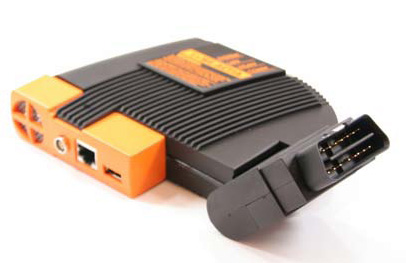
Expert Mode (also called Developer Mode) unlocks far more coding and programming options on BMW vehicles than the standard menus. With an ICOM A1, A2 or A3 running Rheingold (ISTA-D / ISTA-P), it opens up features such as self-levelling suspension, rear side airbags, automatic tailgate operation and remote window closing, among others.
One customer reported that after updating his ICOM firmware to V1.38 he could no longer use the Wi-Fi connection or Expert Mode. Here is the correct way to set it up.
Before you start: install the BMW ICOM ISTA-D and ISTA/P diagnostic and programming software, and connect the ICOM to the car.
Setting up Expert Mode:
- Open ISTA/P and let it select the ISTA/P server automatically.
- Press Connect at the bottom of the program.
- Once connected, Expert Mode is ready to use. Select Process control units.
- ISTA/P detects automatically which control modules should be re-programmed or re-coded, and lists them as available modules.
- Click Immediate measures to show or hide all available actions.
- Review the plan and remove the measures you do not need before starting – this saves time.
Expert Mode is aimed at experienced BMW technicians. With the extra access comes extra responsibility, so always double-check the measures you select before running them.
- November 17, 2015
- Auto Diagnostics How To Do's
related posts